
How do I find my receipt?Updated a month ago
How to find your receipt with us
Need to download your receipt? It's quick, and you can do it directly from the email you received when you placed your order.
Step by step
Open the order confirmation email we sent to your email address.
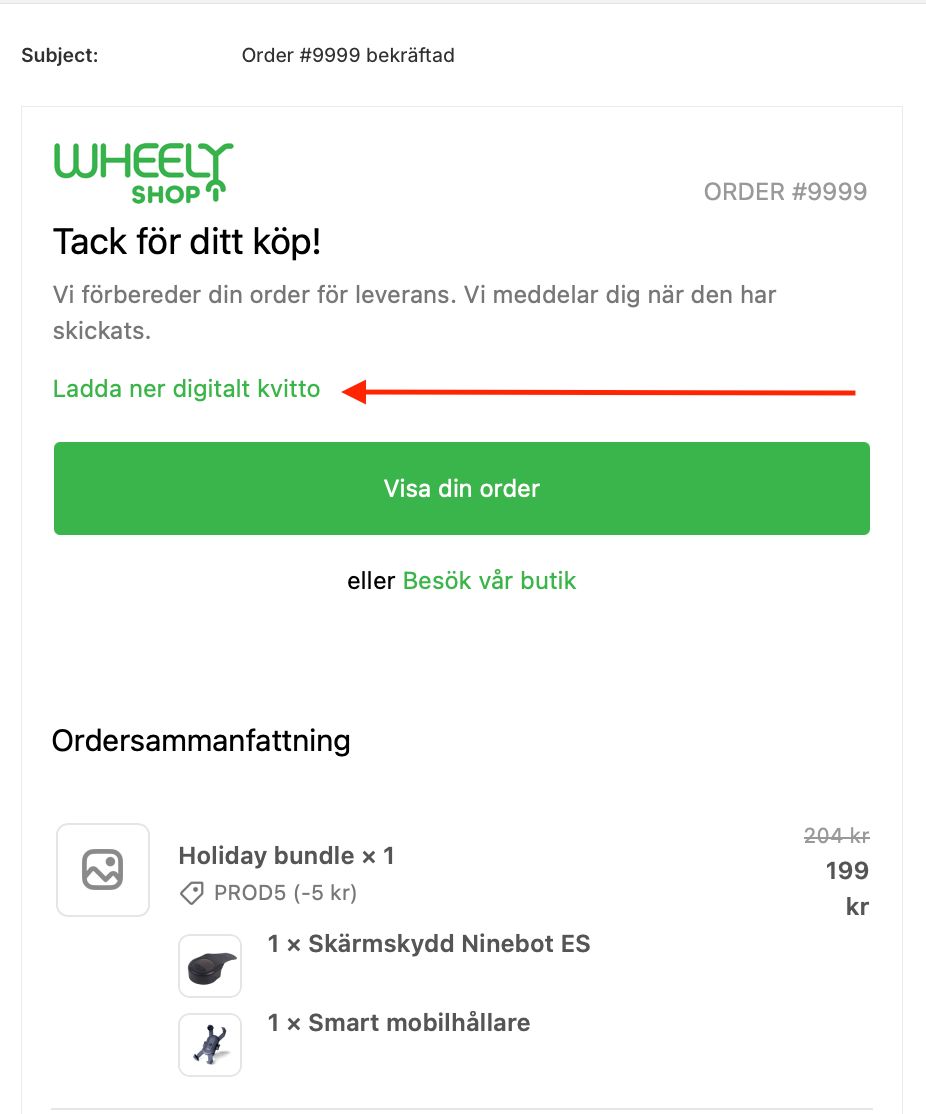
At the top of the email you'll find a green link with the text "Download digital receipt".
Click the link – a new page opens where you can download your receipt as a PDF.
See the image for exactly where to click.
Can't find the email?
Check your spam folder
Search your inbox for our company name or your order number
If you still can't find it: get in touch with us and we'll help you right away.